English
 Deutsch
 Español
 Français
 Italiano
 Polski
 Română
 العربية

Table of Contents
A data center may have a UPS, standby generators and battery storage on the same site. Why would it need all three?
Each has a different job. The UPS protects specified critical loads when the incoming supply fails or becomes unstable. Generators provide power during longer outages. Site battery storage can add backup energy and help manage daily power use. Its connection and controls determine what it can do.
These parts of a data center power supply need to work together. Check what the existing system can support before adding more storage.
How Does Power Reach a Data Center?
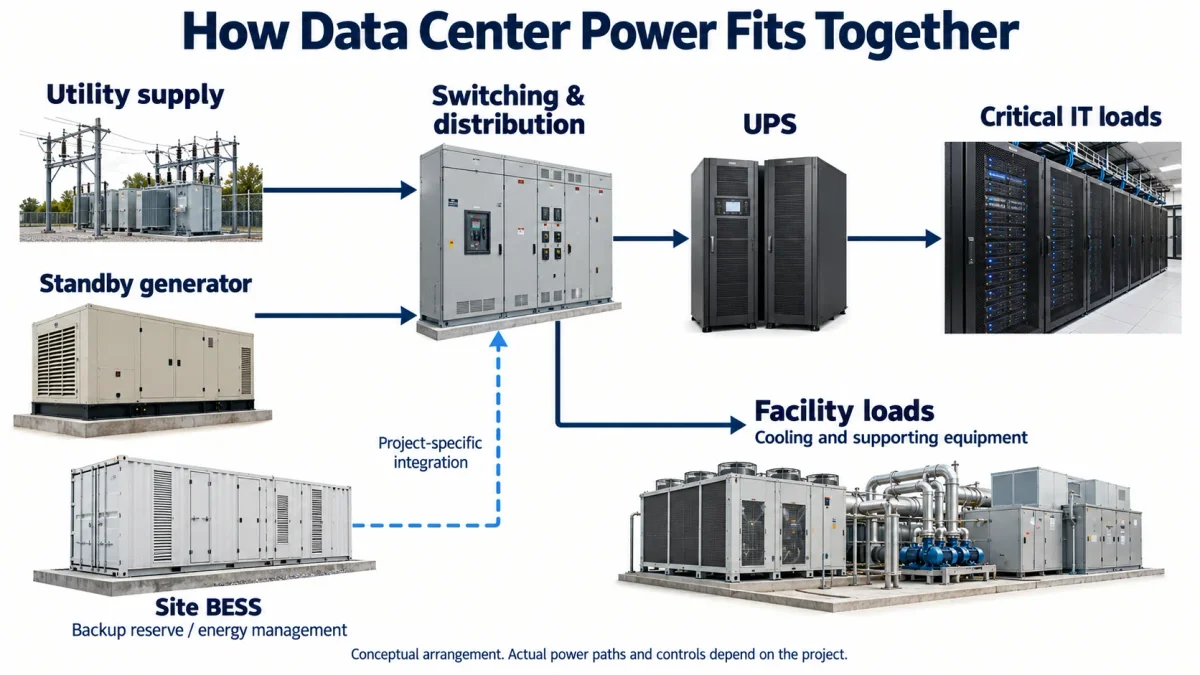
In a common AC arrangement, power enters through the utility connection and passes through transformers and switchgear. From there, the facility distributes it to the equipment that needs it.
The critical IT power path includes the specified UPS and downstream distribution to servers, storage and networking equipment. Standby generators connect through the site's switching arrangement. Cooling systems and other facility equipment may follow separate power paths.
A battery energy storage system, or BESS, can connect at an agreed point in this arrangement. Its connection point, power-conversion equipment and controls determine which loads it can support.
Critical IT Load vs. Total Facility Load
Servers account for part of the electricity requirement. Total data center power consumption also includes cooling, power-conversion losses, lighting and other supporting equipment. The LBNL Data Center Metering and Resource Guide explains the distinction between IT energy and total facility energy.
Keeping servers running during an outage may also require cooling pumps, fans, controls and network connections to remain available.
A building's power bill gives useful context. To plan backup, you also need a clear list of the loads that must keep running and measurements of their demand over time.
What Do UPS, Generators and BESS Each Do?
Equipment | Main planning role | What to check |
UPS | Power protection and continuity for specified critical loads | Output rating, operating mode, battery runtime, bypass and transfer behavior |
Standby generator | Sustained supply during an outage | Supported loads, startup and load acceptance, fuel, switching and testing |
Site-level BESS | Stored energy for agreed backup or energy-management duties | Usable energy, PCS power, reserve limits, connection point and controls |
UPS: Continuity for Critical Loads
Uninterruptible power supplies (UPS) protect critical loads. The chosen UPS supports those loads when the incoming supply falls outside its operating limits. Depending on its design, it also conditions the power supplied to them.
Its battery may cover the period before another source becomes available or provide time for an orderly shutdown. The required runtime depends on what the facility needs to happen next.
Eaton's UPS Basics guide explains the main UPS topologies and selection factors.
Check the UPS's kW and kVA ratings, battery configuration and operating modes, including what happens during faults or maintenance. Two installations described as "UPS-backed" can have quite different capabilities.
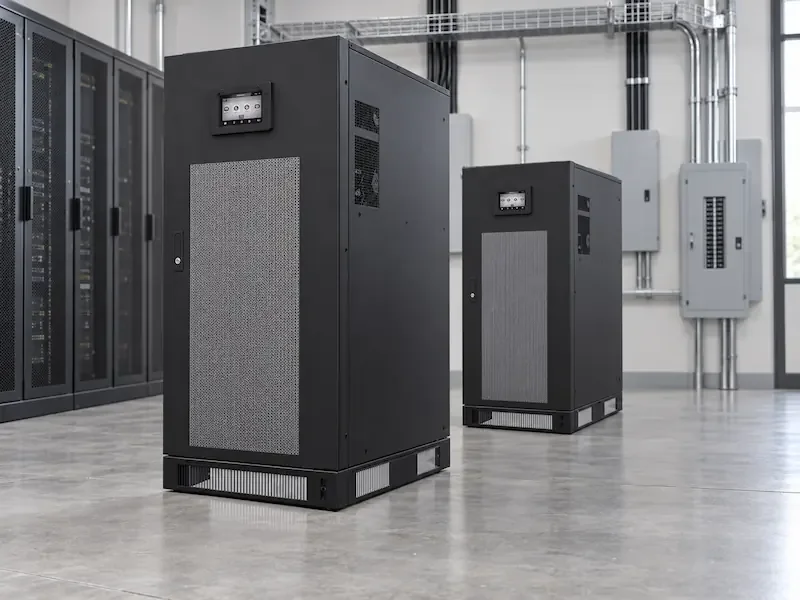
KUNETIC industrial UPS series visual from the data-center solution overview.
Generators: Sustained Supply During Outages
Backup generators provide another source of power when the utility supply is out. A standby unit takes time to start and reach the right operating conditions before it can accept the intended loads.
The UPS and switching arrangement need to cover that transition as specified.
Once the generator is running, cooling equipment may need to restart and depleted batteries may begin charging. Fuel availability, maintenance and the order in which loads reconnect all affect the operating plan.
Tests should follow the supported loads through a grid failure. Check the transfer to backup, then the return to normal operation.
BESS: Site Energy and Backup Reserve
A BESS stores electricity for later use. Its power conversion system, or PCS, determines the power it can supply. The usable stored energy helps determine how long it can sustain that output.
At a data center, a BESS may add backup energy. It may also shift power use between tariff periods or reduce selected demand peaks.
Adding a battery to the site does not automatically give every critical load UPS-level protection. The connection point, isolation, switching, protection and controls must support the intended duty.
Our battery backup power supply guide explains the broader differences between backup equipment and system configurations.
How Much Battery Backup Does the Site Need?
Define the Supported Loads and Runtime
For sizing, I'd start with one question:
Which equipment must remain powered, at what load, and for how long?
Some equipment needs power without a break. Other loads can tolerate a brief gap, or the operator can shut them down during an outage. Define which loads need backup, including the systems that help keep them running.
Demand can also change during an outage. Cooling may need to restart, or the IT load may rise suddenly. The power system must handle the required load changes as well as steady demand.
From Delivered Energy to Battery Capacity
Suppose a selected load stays at 250 kW for 15 minutes.
The energy delivered to that load would be:
250 kW × (15 ÷ 60) hours = 62.5 kWh
The selected loads need 62.5 kWh delivered to them. To choose a battery nameplate capacity, you also need to account for:
- The usable operating range and starting state of charge.
- Conversion and distribution losses along the supported power path.
- Battery condition, temperature and expected aging.
- The reserve and operating margin required by the project.
Check the load's power requirements separately. The UPS or PCS must handle the steady load, any specified overload and changes in demand. Enough stored kWh alone does not establish this capability.
When comparing proposals, I'd ask how long the system can run at the specified load. Ask what operating conditions and battery aging the supplier has allowed for.
When Is Adding BESS Worth Considering?
Additional storage may be worth evaluating if the site needs more backup energy for a defined scenario. Expensive demand peaks or different electricity rates across the day can also give the battery a useful daily role.
The intended use affects how much capacity you need and how you operate it.
First, check what the existing equipment can already do. Some specified UPS systems support grid-interactive duties, as illustrated by Eaton's Data Centers as a Grid approach. Those capabilities need verification for the actual installation.
Check the load profile, space, electrical integration and expected value when assessing separate storage. Schneider Electric's discussion of BESS for data centers also explains why the assessment needs to fit the site.
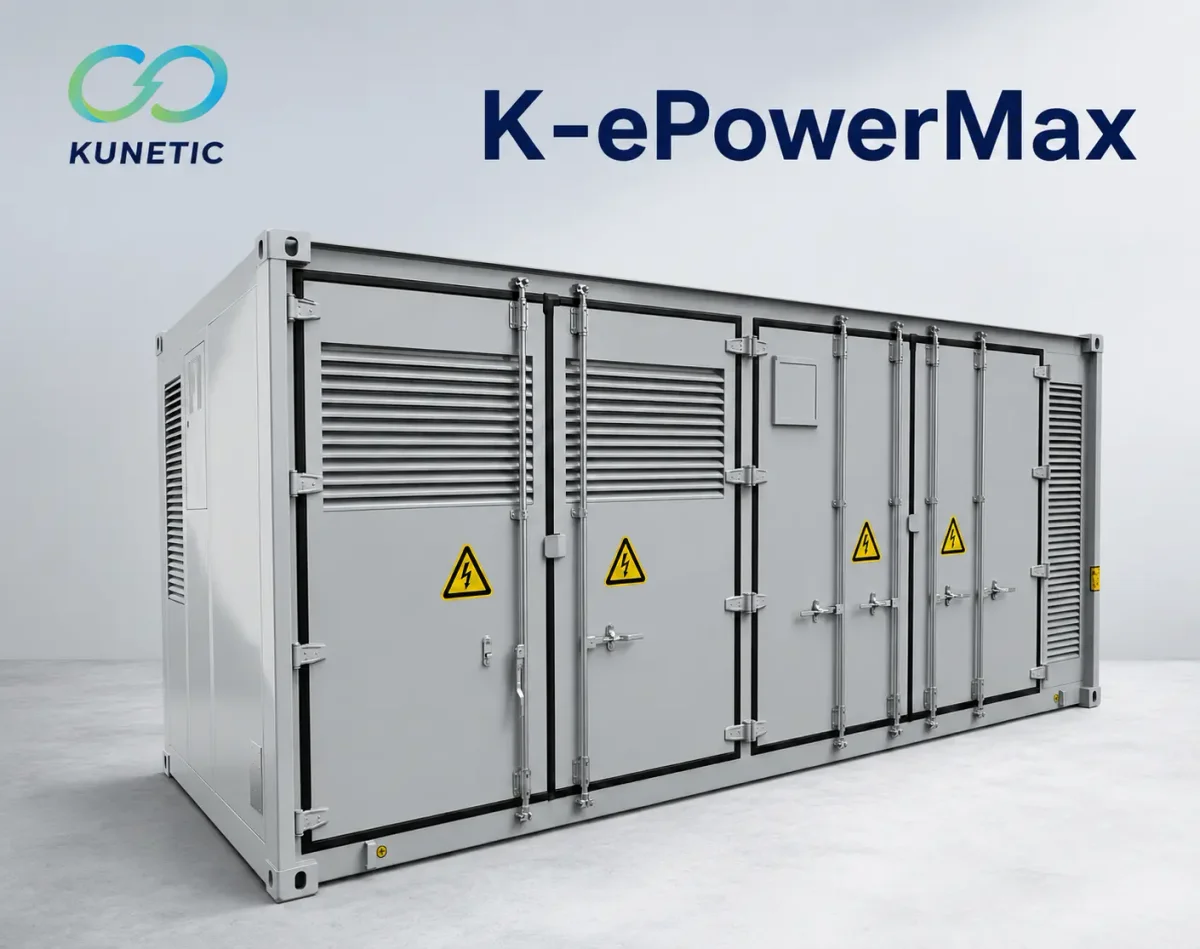
KUNETIC container battery storage platform. Power, reserve and integration requirements are defined for each project.
Protect the Reserve Before Planning Daily Dispatch
Daily energy management uses some of the stored energy. How much backup reserve will remain if the grid fails after the battery has discharged?
If the battery also supports backup, its controls need to protect the agreed reserve. Define when daily discharge stops and how the controls track the reserve. Set out how the battery will recharge after use.
After an outage, the grid connection or running generator may need to supply normal loads while recharging the battery. A second disturbance could arrive before charging is complete.
Include recharge and a possible second disturbance in the operating sequence and tests.
For a closer look at equipment scope, our container BESS guide explains the main subsystems and configuration questions.
What to Share When Requesting a Proposal
Describe how the facility needs to operate, then send the supplier the information needed to check the equipment:
- Load data: critical IT demand, total facility demand, measurements over time and expected expansion.
- Continuity requirements: supported equipment, acceptable interruption, required runtime and recovery priorities.
- Existing equipment: UPS ratings and battery arrangements, generators, transformers and switchgear.
- Electrical information: a single-line diagram, voltage, frequency and proposed connection point.
- Site conditions: project location, equipment space, access and relevant environmental conditions.
- Acceptance requirements: operating sequences, maintenance conditions and tests the proposal must address.
Ask each supplier to explain what its package includes and what remains with the facility designer or integration team. You can then compare quotations on the same basis and identify missing work before installation.
KUNETIC's data center power solutions include industrial UPS and container battery storage options. We define the equipment scope for each project.
If you are evaluating additional storage or backup equipment, share your load profile and operating requirements with KUNETIC. Send details of your existing UPS and generators if you have them. We can then discuss how the new equipment would fit.
Frequently Asked Questions
Can Storage Be Added to an Existing Data Center?
It may be possible. The existing electrical design, space, protection and control interfaces will affect the options. Before choosing equipment, review the connection point and operating sequence with the facility's electrical team.
Should Cooling Loads Be Included in Battery Backup Sizing?
Include the cooling and supporting equipment needed to keep the selected IT loads operating for the required period. Their power paths and restart requirements also need review; they do not necessarily belong on the same UPS circuit.
What Happens if an Outage Lasts Longer Than the Battery Reserve?
The operating plan must define what happens next. The facility may start standby generation, reduce selected loads or shut down in an orderly way. The battery must provide enough runtime for the agreed actions.